
Yamaha LAN Monitor
Dedicated Software for Total Sound System Design
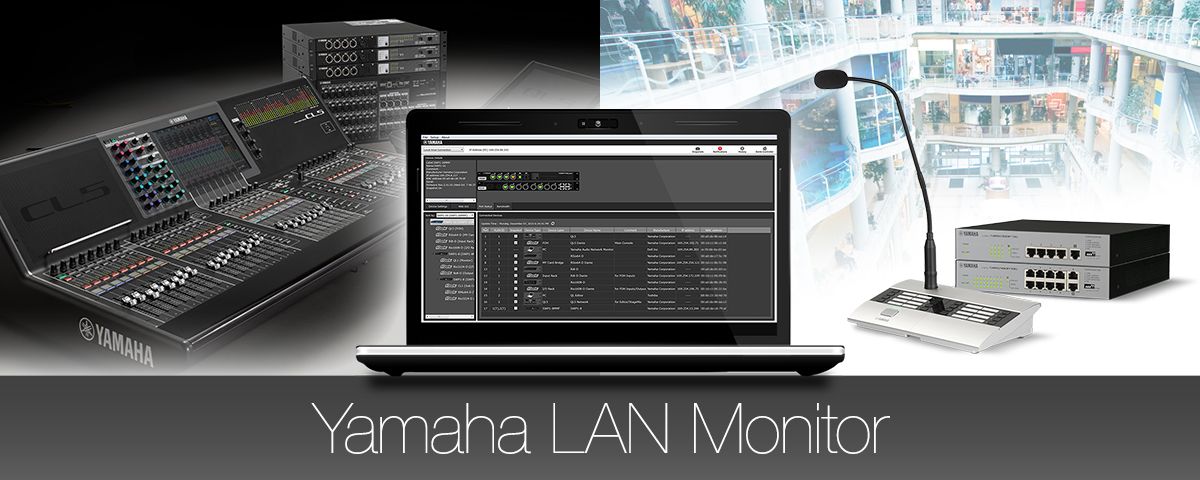
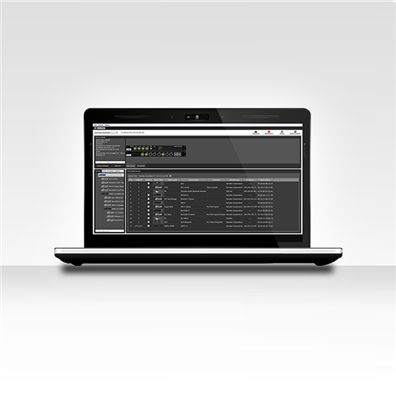
Effective Dante network management hinges on a range of parameters such as network traffic, switch status, and individual Dante device information. The dedicated Yamaha LAN Monitor application for Windows computers provides a comprehensive single-screen view of all necessary parameters when used with SWP/SWR series switches. We refer to this type of graphical overview as “network visbility.” You can even take a snapshot of the normal network status and set an alarm to warn you if any of the parameters changes, so that problems can be identified and resolved quickly and easily. The Dante Controller application can also be launched from the Yamaha LAN Monitor with a single click, providing a total Dante network solution on a single computer.
*The software name of Yamaha Audio Network Monitor has been changed to Yamaha LAN Monitor.
Yamaha LAN Monitor
 立即購買
立即購買
The Yamaha LAN Monitor makes overall network topology clearly visible, giving the user a comprehensive overview of how multiple switches and Dante network devices are interconnected. Simply connect a Windows PC to the nearest SWP/SWR series switch and launch the Yamaha LAN Monitor software.
產品信息如有變動,恕不另行通知。網站上信息僅供參考,一切以具體實物為準。
LAN Mapping for a Complete Network Overview
Understanding how multiple switches installed in different locations are connected, plus how network devices are connected to those switches, can be a difficult, time-consuming task. The Yamaha LAN Monitor makes overall network topology clearly visible, giving the user a comprehensive overview of how multiple switches and Dante network devices are interconnected. Simply connect a Windows PC to the nearest SWP/SWR series switch and launch the Yamaha LAN Monitor software.
Port Status and Bandwidth Utilization
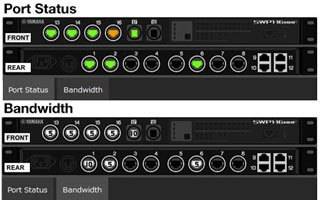
The Yamaha LAN Monitor includes a port status and bandwidth display that clearly shows the connection status of each network switch port, information about the connected devices, the communication speed at each port, and the bandwidth utilization at each port.
Dante Device Info
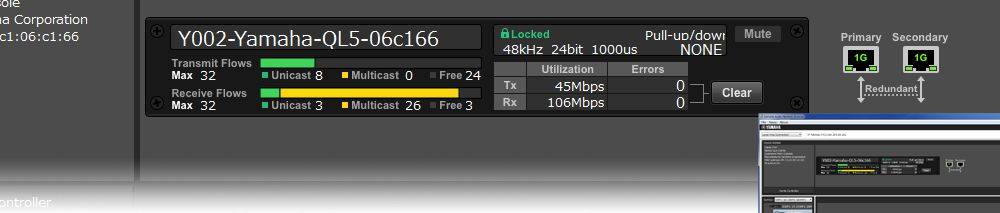
Device information and monitoring is also available for any Dante devices connected to SWP1 series switches on the network. The ability to monitor primary and secondary port status as well as transmit and receive flow is important to achieving stable, reliable Dante audio communication. This capability lets you keep an eye on the overall “health” of the network.
1-click Dante Controller Launch
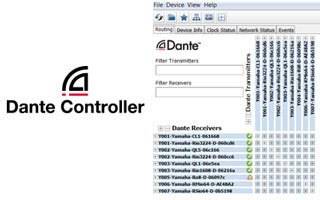
A Dante Controller button at the top of the Yamaha LAN Monitor interface lets you launch the Dante Controller with a single click (the Dante Controller software must be installed on the computer). Seamless switching between the Yamaha LAN Monitor and Dante Controller provides total Dante network control from a single computer.
Snapshot Function Makes Troubleshooting Easy
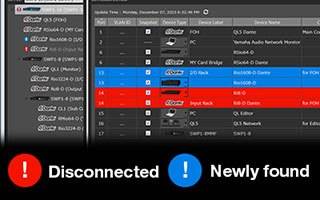
You can take a “snapshot” of the network status when set up as required. The software can then automatically keep track of the settings and alert you to any changes. You could take a snapshot of the network during rehearsal, and then you’d be alerted if a cable is disconnected, if a device is turned off, or if a wrong connection is made prior to the performance, for example.
Enhanced Device ID with Icons, Labels, and Comments
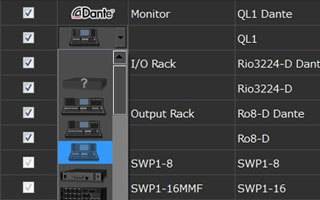
Identifying devices connected to a switch by only their IP or MAC address is a difficult and error-prone approach. Connected Dante devices are identified by a Dante icon as well as a device ID previously set up via the Dante Controller software. You can also enter additional info, such as the location of the device, in the Label and Comment fields.
Detailed Switch Settings and Firmware Updates
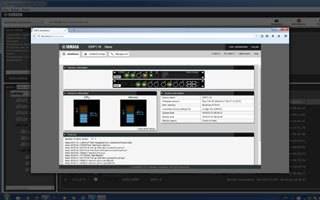
The web GUI for each device can be recalled to provide access to “deep” settings and allow firmware updates.
Collectively monitor and remotely restart devices distributed over a wide area
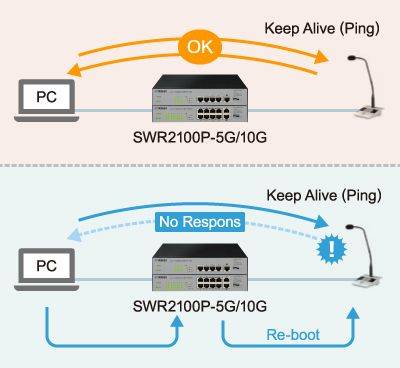
If the monitoring device does not respond to a Ping, it judges that a fault has occurred and automatically stops the PoE power supply to that device and then resumes it. This restarts the monitoring equipment and attempts recovery. By collectively managing the status of the devices distributed over a wide area, it can ensure that equipment management can operate far more smoothly.